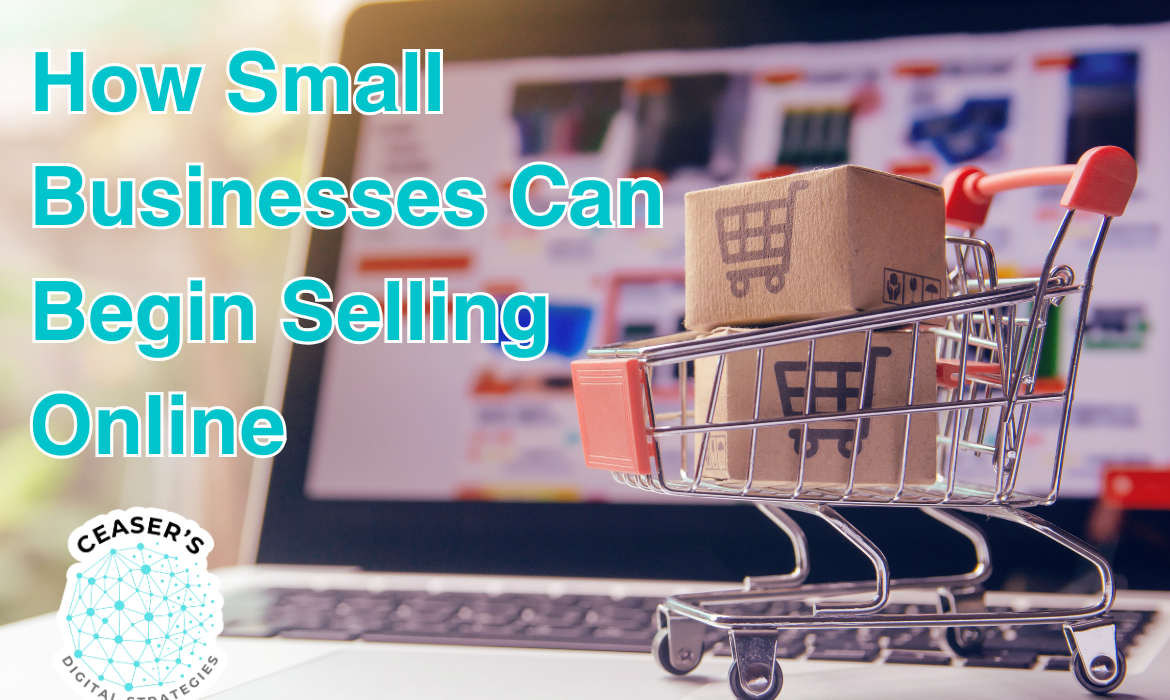
Even in communities across Iowa, shopping habits are changing. More consumers start with online search and social media when they want to discover products and decide where to buy. As one report notes, “Google is the home base for many shoppers to research products, compare prices, find local availability, and more.” If your store is hard to find online, you can miss customers who are ready to buy but are simply searching somewhere else. Local and state initiatives see the shift too. For example, the Iowa Economic Development Authority launched “Shop Iowa,” a statewide marketplace that helps small retailers showcase products online and reach more customers. The takeaway is simple: online visibility is now part of doing business, and it can help even the smallest Main Street shop compete.
The good news is that getting started with e-commerce is usually simpler and cheaper than people expect. Years ago, an online store could be a major investment. Today, you can start small, learn as you go, and expand later. You might list a handful of best-sellers online or begin by selling through social media before building a full catalog. In the sections below, we’ll cover practical ways to sell through Google, Meta (Facebook and Instagram), other major platforms, and your own website. We’ll also explain why a WordPress-based store (often using WooCommerce) can be a strong long-term choice compared with Shopify for many local retailers.

A small business owner in Iowa can boost sales by expanding from purely brick-and-mortar to online channels. Even in local communities, customers increasingly shop via Google, Facebook/Instagram, and websites.
One of the easiest, lowest-cost ways to test online selling is to use platforms you already have, like Google and social media. They let you showcase products quickly, reach people outside your normal foot traffic, and learn what sells with minimal setup cost.
Quick tip: If you have a product catalog on your website (for example, a WordPress and WooCommerce store), you can often sync that catalog to Google and Meta. That keeps prices, photos, and inventory aligned across platforms so customers see the same information wherever they find you.
While third-party channels like Google and Facebook are great starting points, having your own e-commerce website is the ultimate goal for full control and branding. A website serves as your online home base where customers can learn about your story, browse all your products, and check out securely. Two of the most popular ways to build an online store are WordPress (with the WooCommerce plugin) and Shopify. Both can get you selling online, but they have key differences. We recommend WordPress/WooCommerce for most small local retailers, and here’s why.
WordPress (WooCommerce) is open-source software, and WooCommerce is a plugin that adds products, a cart, and checkout to a WordPress site. Shopify is a hosted e-commerce service that bundles hosting and store tools into a subscription. Both can work, but WordPress often wins for local retailers who want flexibility and long-term control. Here’s why:
Shopify is hard to beat for quick setup. You create an account, pick a theme, add products, and you can be live fast. WordPress and WooCommerce take a little more setup because you’ll choose hosting and configure the site. Many hosts now offer one-click WordPress installs, and WooCommerce includes a guided setup, so it’s more approachable than it used to be. The setup takes a bit more effort, but the payoff is flexibility and control. If you want the flexibility of WordPress without the learning curve, a one-time build from a developer can get you launched quickly. After that, day-to-day product and order management in WooCommerce is straightforward.
For a small retailer just starting in e-commerce, the strategy we recommend is a hybrid approach: leverage the free/low-cost channels first, and simultaneously build your own site as a long-term home for your online business. For example, you might start by listing 20 of your best-selling products on Google Shopping and Facebook Shop (bringing in some initial online orders), while working on a WordPress site in the background. This way, you begin generating new revenue online quickly without waiting for a perfect website launch. As orders come in, you’ll learn which products are popular online and gather customer feedback, which can inform how you set up your website.
To keep costs reasonable, start with a reliable hosting plan, a clean WooCommerce-ready theme, and a small set of essentials (payments, shipping, taxes, and security). WooCommerce covers the core store functions, and you can add features later as your online store proves itself. WordPress is very scalable because you can add tools as you need them instead of paying for everything on day one.
Also, don’t forget that e-commerce isn’t only software. It’s customer experience. Local retailers have an advantage because you already know how to serve people well. Bring that online by telling your story, posting behind-the-scenes updates, highlighting staff picks, and encouraging reviews. If you serve nearby customers, offer options like local pickup, local delivery, or “reserve online, pick up in store.” Small touches like these make your online store feel like your store.
Stepping into e-commerce can feel like a big leap, but it’s very doable, and it matters more each year. If you start with free Google listings and social media shops, you can begin taking online orders with very little upfront cost. As you build confidence and cash flow, invest in your own WordPress-based online store as a long-term home base you control, with room to grow.
In the end, e-commerce is about meeting customers where they already shop. Plenty of Iowans want to support local businesses, and they also want convenience. When your products show up in search results and in social feeds, you make it easy for loyal customers to buy more often and for new customers to discover you beyond your immediate area. Start small: list a few products online, connect your catalog to the channels you use most, and build a website that can grow with you. Your next customer is already searching.
Ready to start your e-commerce journey without the headaches? Ceaser’s Digital Strategies has helped businesses of all sizes start selling online successfully, and we’ll make the jump painless and cost-effective. Whether you want to begin with low-cost channels like Google and social selling or build a long-term store you fully control, we’ll help you launch the right way and grow at your pace. Connect with us to schedule a 100% free consultation to discuss your ecommerce needs.


info@ceasersdigitalstrategies.com

128 W Main St, State Center,
IA, 50247, United States